




Introduction
Many internet users search for 192. l68.0.1 when trying to access their router settings, change their Wi-Fi password, or troubleshoot network issues. However, the keyword itself contains a common typing error. The correct address is 192.168.0.1, one of the most widely used private IP addresses in home and office networking. Because the lowercase letter “l” and the number “1” often look similar on screens and printed labels, users frequently enter the wrong address and become confused when the login page fails to load.
Understanding how 192.168.0.1 works is important for anyone who manages a home internet connection. This IP address acts as a gateway to the router’s administrative interface, allowing users to control Wi-Fi settings, security configurations, parental controls, connected devices, firmware updates, and many other network functions. Whether you are setting up a new router or troubleshooting an existing network, knowing how to use this address can help you maintain a secure and reliable internet connection.
Understanding What 192.168.0.1 Actually Is
The address 192.168.0.1 belongs to a special range of private IP addresses reserved for internal networking. These addresses are not accessible from the public internet and are designed specifically for communication within local area networks. Home routers use these private IP addresses to organize communication between connected devices such as computers, smartphones, tablets, gaming consoles, smart TVs, and IoT devices.
As a default gateway, 192.168.0.1 serves as the main point through which network traffic flows between local devices and the internet. Whenever a device on your network needs to access an external website or online service, the router manages that communication. The administrative interface associated with this address gives users direct control over how the router performs these tasks.
The address is part of the IPv4 addressing system, which remains the most widely used networking protocol globally. Although IPv6 adoption continues to increase, IPv4 addresses like 192.168.0.1 remain fundamental to residential and business networking environments due to their simplicity and broad compatibility.
Why People Search for 192. l68.0.1
The search term 192. l68.0.1 usually appears because of visual confusion between characters. In many fonts, the lowercase letter “l” closely resembles the number “1,” leading users to enter an invalid address. Since IP addresses can only contain numbers separated by periods, any letter included in the address will cause the browser to fail when attempting to connect.
Another reason for this confusion comes from router manuals, product labels, and screenshots where character spacing may not be clear. New users unfamiliar with networking concepts often assume the displayed character is a letter rather than a number. As a result, they search online for solutions when the router login page does not appear.
This simple mistake highlights the importance of entering IP addresses accurately. Even a single incorrect character prevents communication with the router. Understanding the correct format can eliminate unnecessary troubleshooting and help users gain immediate access to their router settings.
How Router Login Systems Work
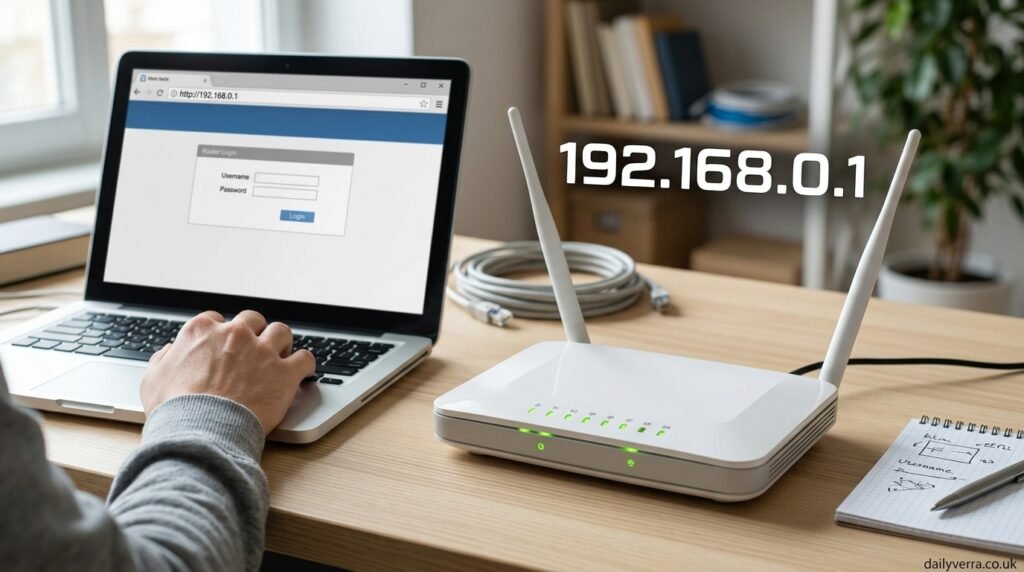
Modern routers include built-in web servers that host administrative dashboards. These dashboards allow users to configure networking settings through a standard web browser without requiring specialized software. When a user enters 192.168.0.1 into a browser’s address bar, the browser sends a request directly to the router instead of accessing a public website.
The router then displays a login page requiring authentication. Depending on the manufacturer and model, users may need a username and password that were either assigned during setup or provided by default. Successful authentication grants access to various configuration tools and network management features.
The login system serves an important security purpose. Without authentication, anyone connected to the network could modify router settings, potentially compromising internet access and network security. By restricting administrative access, routers help protect users from unauthorized configuration changes.
Router Brands That Commonly Use 192.168.0.1
Many popular networking manufacturers use 192.168.0.1 as the default gateway address. Over the years, this address has become associated with a wide range of consumer routers found in homes, schools, and small businesses. Brands such as TP-Link, D-Link, Tenda, Netgear, Belkin, and several ISP-provided routers have utilized this address in various product lines.
Although manufacturers often use 192.168.0.1, not every router follows the same convention. Some devices use alternative addresses such as 192.168.1.1, 192.168.1.254, or 10.0.0.1. These alternatives perform the same function but are assigned according to manufacturer preferences or service provider configurations.
The widespread use of 192.168.0.1 has made it one of the most recognized IP addresses in networking. For many users, it serves as their first introduction to router administration and network management concepts.
Accessing the Router Administration Panel
Accessing a router’s administration panel begins with connecting to the router either through Wi-Fi or a wired Ethernet connection. Once connected, users can open a web browser and enter the correct IP address into the address bar. If the router uses 192.168.0.1 as its gateway, the login page should appear within seconds.
After reaching the login screen, users must enter valid credentials. Modern routers increasingly require custom passwords during initial setup, reducing reliance on default usernames and passwords. This change improves security and minimizes the risk of unauthorized access.
Upon successful login, the dashboard provides access to numerous management tools. These tools allow users to monitor internet status, manage wireless networks, review connected devices, configure security features, and customize network behavior according to their specific needs.
Managing Wi-Fi Settings Through 192.168.0.1
One of the most common reasons users access their router is to modify Wi-Fi settings. The administrative interface allows users to change the wireless network name, often called the SSID, making it easier to identify the correct network among neighboring connections.
Users can also update Wi-Fi passwords to improve security or grant access to new devices. Strong passwords that combine letters, numbers, 192.168.0.1 and special characters help protect networks from unauthorized users. Regular password updates are considered a good security practice, especially in shared environments.
Advanced wireless settings provide additional control over network performance. Users may adjust wireless channels, frequency bands, 192.168.0.1 transmission power, and security protocols. Proper configuration can improve signal stability, reduce interference, and enhance overall wireless performance throughout a home or office.
Security Features Available Through Router Settings
Router security extends beyond simple password protection. The administrative panel offers multiple tools designed to safeguard networks against unauthorized access and cyber threats. Firewall settings provide a first line of defense by filtering incoming and outgoing traffic based on predefined security rules.
Many routers also support WPA2 and WPA3 wireless security standards. These encryption technologies help protect data transmitted between devices and the router. Using modern encryption standards significantly reduces the risk of unauthorized interception and network intrusion.
Additional security features may include guest networks, access controls, MAC address filtering, and intrusion detection systems. These capabilities allow users to create separate environments for visitors while maintaining protection for primary devices and sensitive information.
Common Problems When Using 192.168.0.1
Users occasionally encounter issues when attempting to access their router through 192.168.0.1. One of the most frequent problems occurs when the login page fails to load. In many cases, this results from entering an incorrect address, including common variations such as 192. l68.0.1 or other typographical errors.
Forgotten login credentials represent another common challenge. Since many users rarely access router settings, they may forget passwords created months or years earlier. Browser-related issues, network configuration conflicts, and outdated firmware can also contribute to login difficulties.
In some situations, the router simply does not use 192.168.0.1 as its gateway. Users may need to identify the actual default gateway assigned to their network before they can successfully access the administrative interface. Understanding these possibilities can streamline troubleshooting efforts and reduce frustration.
Advanced Network Configuration Options
Beyond basic Wi-Fi management, modern routers provide advanced networking tools for experienced users. Features such as port forwarding allow specific applications and services to communicate more effectively with external networks. This functionality is particularly useful for gaming servers, remote access solutions, and certain business applications.
Quality of Service settings enable users to prioritize network traffic according to importance. By allocating bandwidth intelligently, routers can improve performance for video conferencing, streaming services, online gaming, and other latency-sensitive activities. These tools help maintain a smoother internet experience during periods of heavy network usage.
Advanced routers also support custom DNS settings, VPN integration, traffic monitoring, dynamic routing options, and network segmentation. These capabilities provide greater flexibility and control, allowing users to tailor their network environment to meet specialized requirements.
The Future of Home Networking and Router Management
As internet-connected devices continue to multiply, routers are becoming more sophisticated and feature-rich. Smart home technologies, cloud-based services, and high-speed broadband connections place increasing demands on network infrastructure. Router manufacturers continue developing new tools that simplify management while enhancing performance and security.
Many modern routers now include mobile applications that complement traditional web-based administration. These apps allow users to monitor and manage their networks from smartphones while still relying on gateway addresses such as 192.168.0.1 for deeper configuration options. The combination of convenience and functionality makes network management more accessible than ever before.
Despite evolving technologies, the role of private gateway addresses remains essential. Whether accessed through a browser or integrated into newer management systems, addresses like 192.168.0.1 continue to provide the foundation for network administration and device connectivity.
Conclusion
The keyword 192. l68.0.1 represents one of the most common router login search mistakes, with the correct address being 192. 168.0.1 This private IP address serves as a gateway to router administration panels used for configuring wireless networks, managing security settings, monitoring connected devices, updating firmware, and optimizing overall network performance. Understanding the purpose and function of this address helps users navigate router management with confidence.
As home and business networks become increasingly complex, knowledge of router login addresses remains valuable. Whether troubleshooting connectivity issues, strengthening network security, or customizing internet settings, access to the router dashboard provides the control necessary to maintain a reliable and efficient network. By using the correct IP address and understanding its capabilities, users can take full advantage of the powerful management tools available within modern networking equipment.
